The Meta Ad Library

What is the Meta Ad Library for? And how do you use this database of social ads? You'll find out in this article.
The Meta Ad Library is simply a database of every ad in Meta's ecosystem that has been active recently. Its original purpose, though, was not to be a marketer's toy for spying on the competition (even if that's exactly how it gets used). It was created mainly to increase the transparency that social networks somewhat lacked during their unchecked growth - which eventually led to scandals like Cambridge Analytica and others of the same kind.
In response to these scandals, Facebook gradually rolled out features that let users learn more about the history of Facebook Pages and about the ads that spread across the social networks under those Pages. That's how, for example, the Page Transparency tab and the already mentioned Meta Ad Library gallery came about. On top of that, advertisers were now required to label ads that fall into special categories - one of them being ads about social and political issues or elections.
How to use the Meta Ad Library
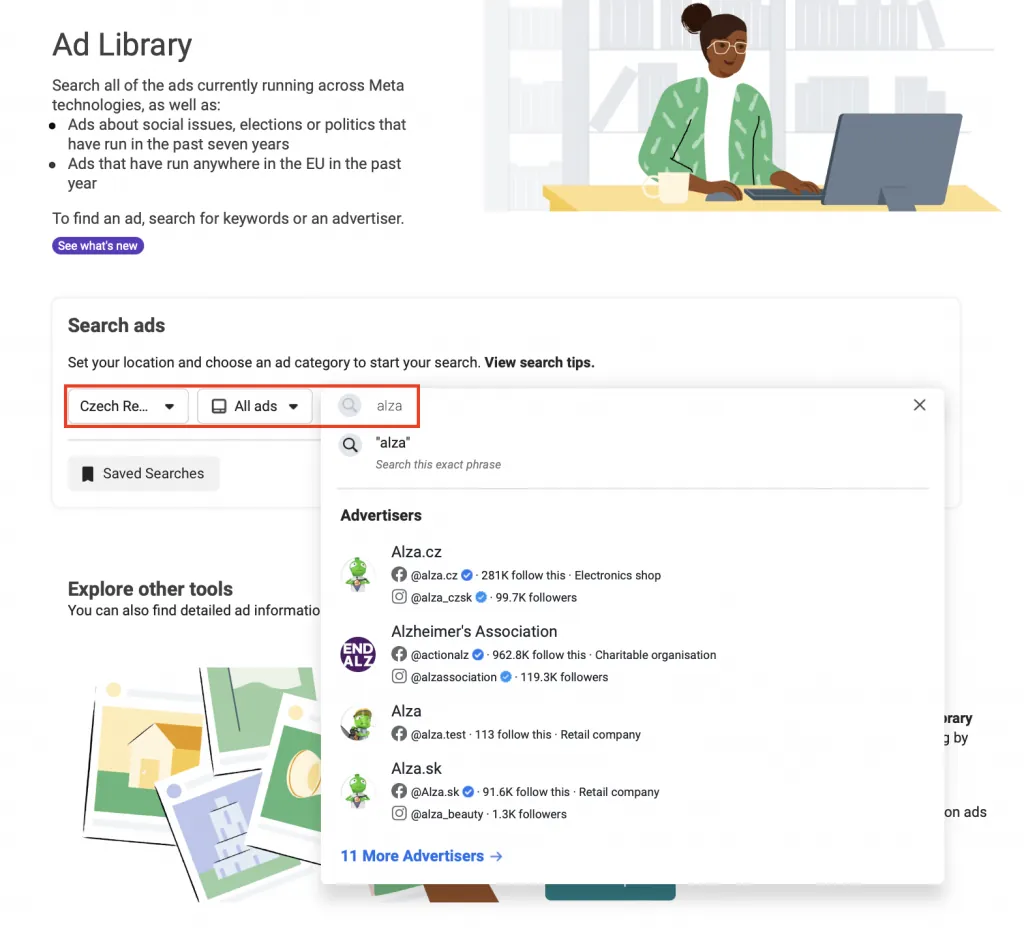
At www.facebook.com/ads/library you simply pick a country, choose an ad category, and use the search to type in the name of any Facebook Page.
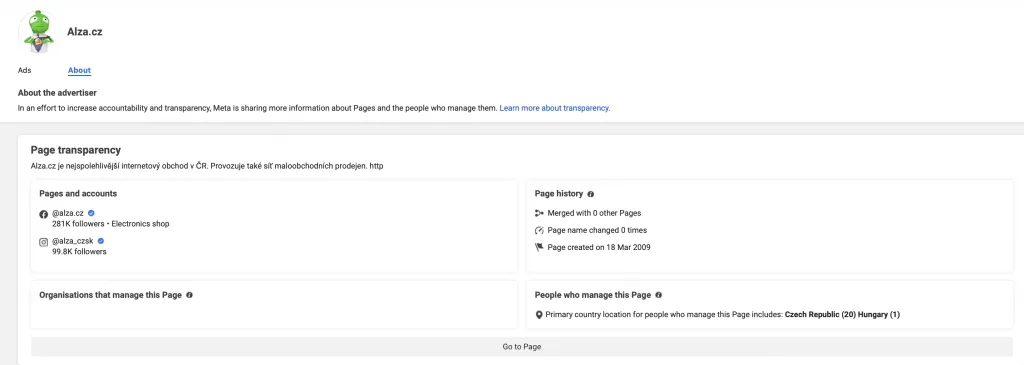
Once you select a Page, two tabs are available at the top. On the About tab you'll find more detailed information about the Facebook Page - when it was created, whether it was merged with another Page in the past, which entity is behind it, and which country its admins are in.
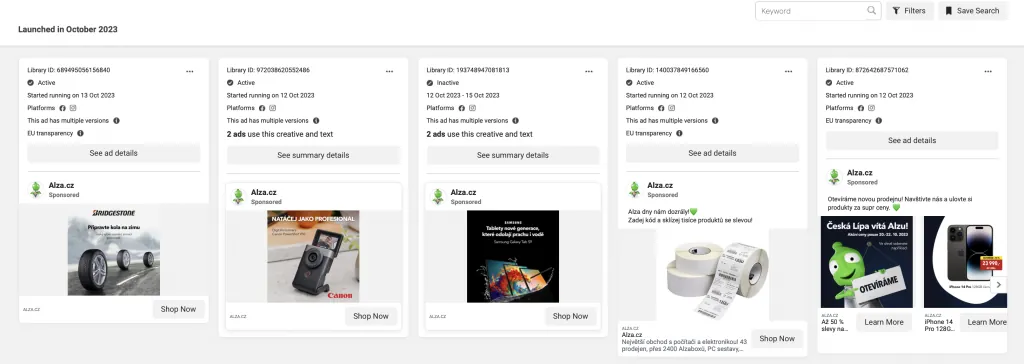
On the Ads tab you'll then see a gallery of the ads that have been active recently. You can filter the ads or type a specific word to search for across them.
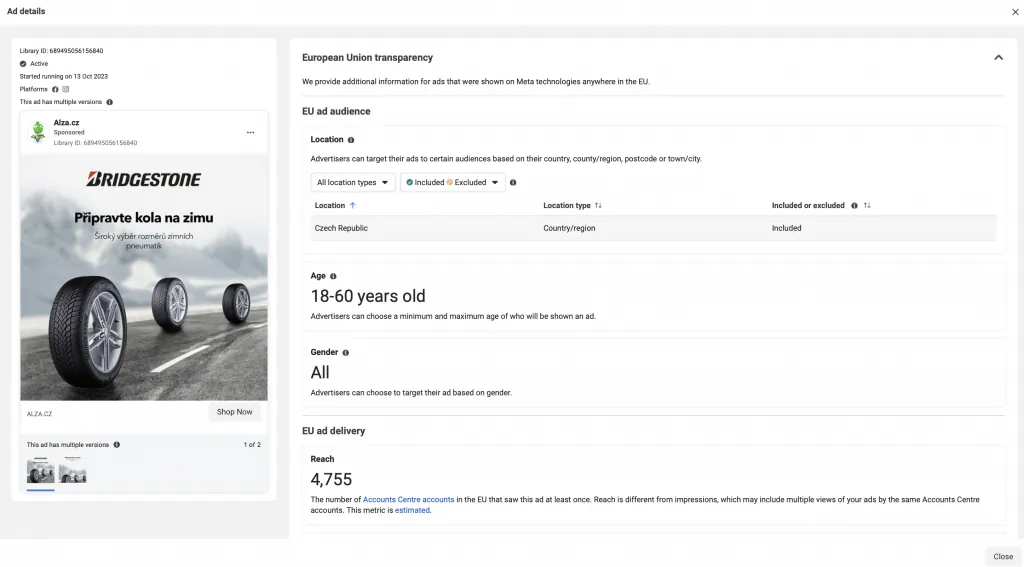
You can then open individual ads to see more detail. For an ad that does not fall into a special category, you get:
- the ad's approximate reach,
- the full ad, including the images and copy used,
- the ad's status and the date it started running,
- which Meta platforms it appeared on,
- basic targeting information (demographics, geography).
But if an ad falls, say, among ads about social and political issues or elections and is labelled as such, Meta shows extra information for greater transparency:
- the ad's approximate cost,
- which entity paid for the ad,
- more detailed statistics (impressions, how the budget was split across demographic groups, and so on).
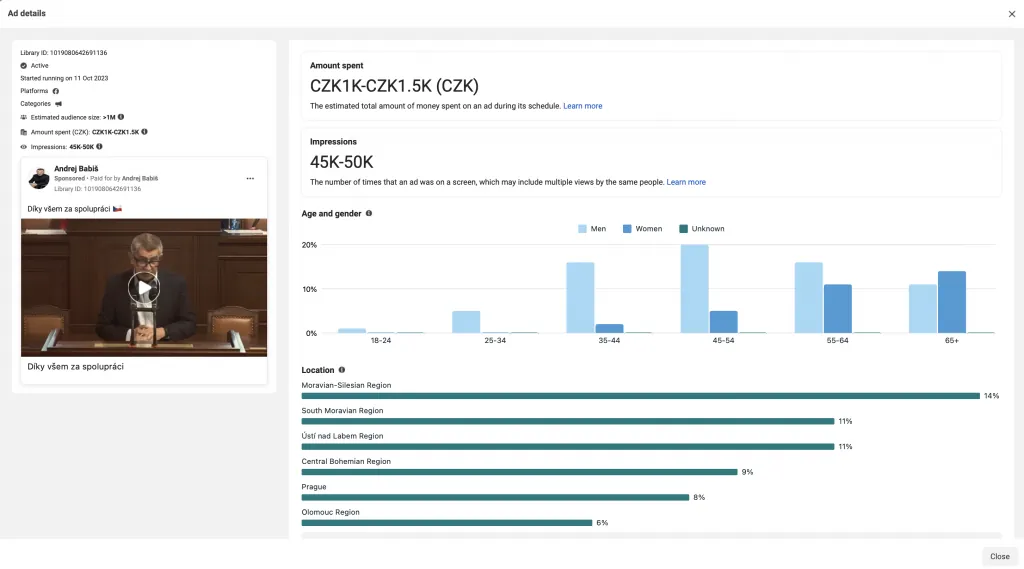
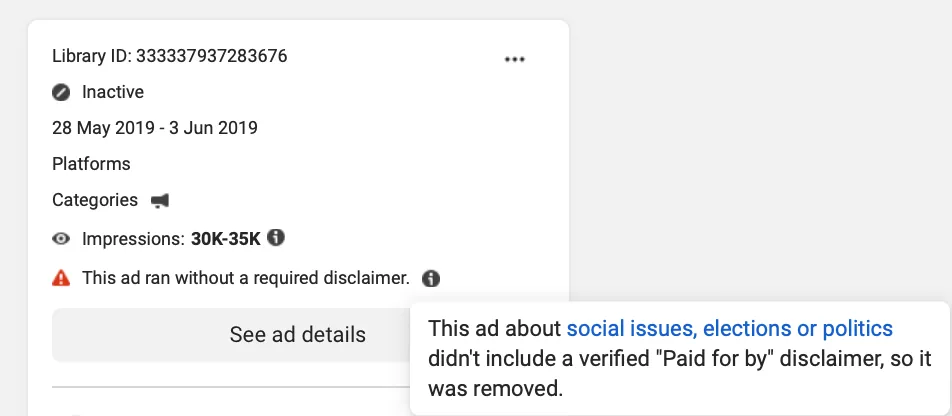
Meta also shows more detailed data when it decides that an ad does belong in a special category, but the advertiser didn't label it that way and hadn't passed the verification required to run such ads. Meta then rejects those ads.
Meta Ad Library API
For more advanced work with the database, there's the option to connect via the API. You'll find full details in the Meta Ad Library API documentation.
And what about you? Do you use the Meta Ad Library? And if so, how? Let me know in the comments.
Got a question or your own experience? Get in touch - I'm happy to chat.